
At 10:17 a.m., a finance lead gets an email that looks normal: the supplier logo is right, the tone is right, and the attachment name is exactly what they expect—“Updated Bank Details.pdf”. They forward it to the CFO with one line: “Please approve so we can update the account before Friday.”
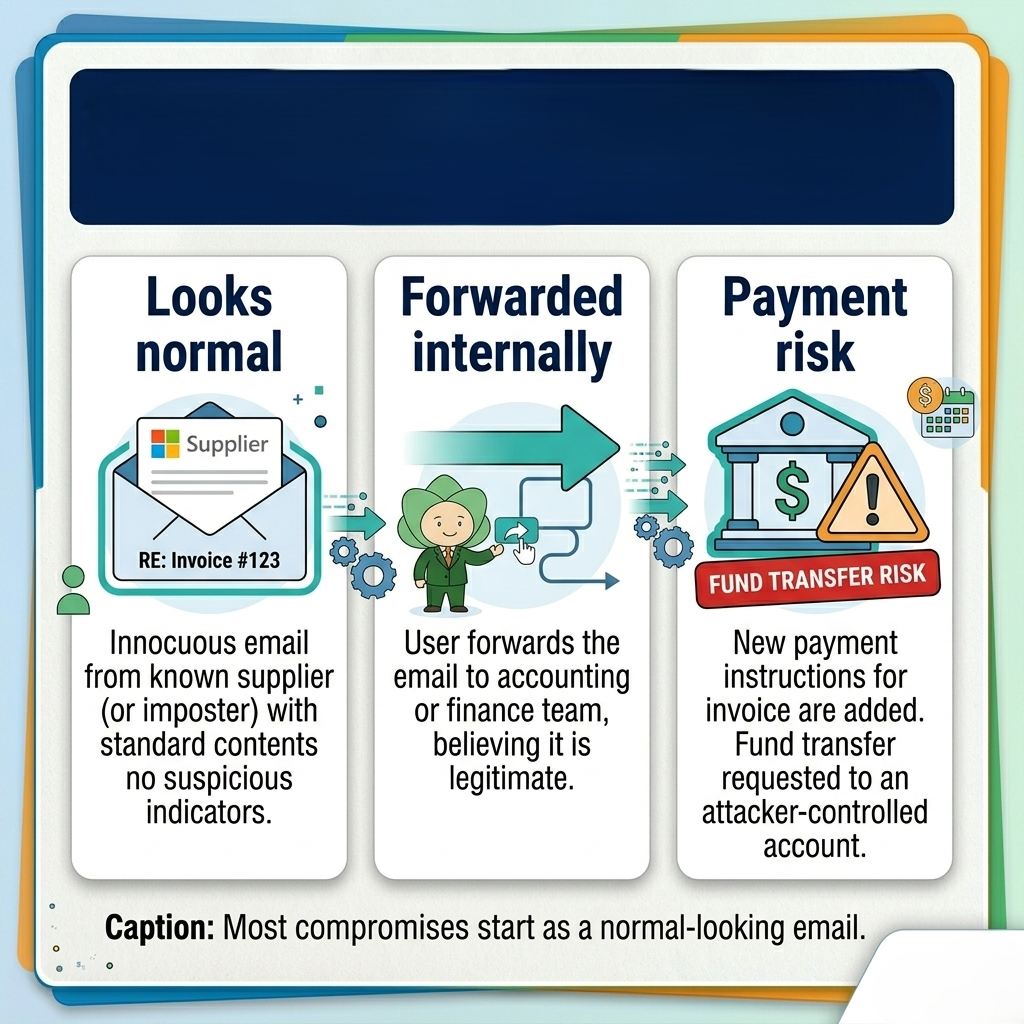
Nothing happened—because someone paused. They phoned the supplier on a known number. It was fake. No breach headline. No money lost. But the team asked the question that matters: “If we hadn’t paused, would we have even known this was an attack?”
Who this is for: business owners, operations managers, and IT admins who already use Microsoft 365 (often Business Standard) and are trying to decide if the upgrade to Business Premium is worth it—or if they can keep “adding a security tool or two” and hope for the best.
Why Microsoft 365 Business Premium Is the ‘Security Baseline’ for SMEs
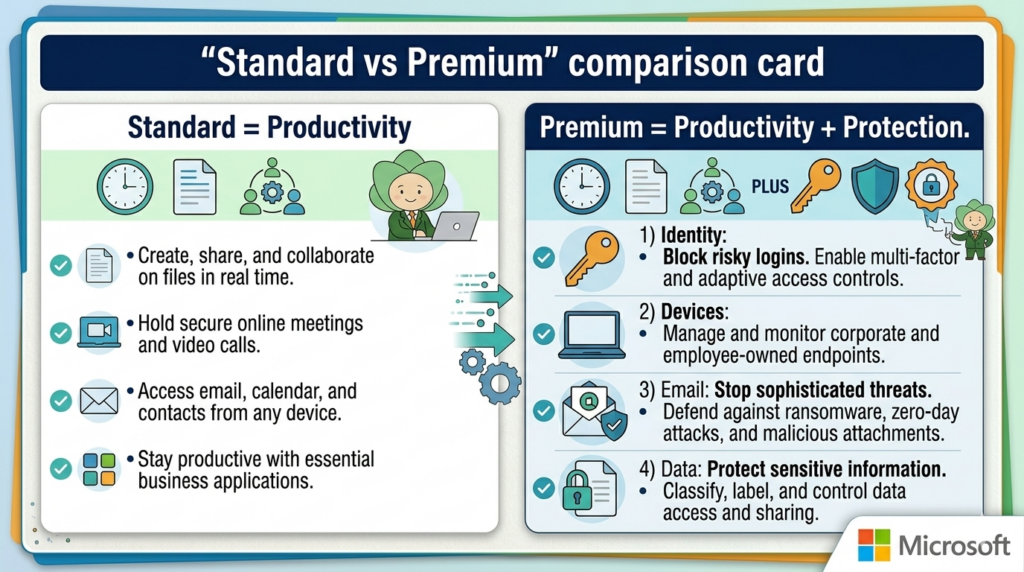
- Business Standard helps people work.Business Premium helps people work safely—with identity controls, device management, and stronger threat protection built in.
- If you have company laptops/phones, remote work, finance email risk, or client security questionnaires, Premium is usually the cheapest way to stop “security by patchwork.”
- Premium’s practical upgrade is simple: only trusted users on trusted devices can access company data, and suspicious email/content gets blocked earlier.
- If you’re under 300 users and you want a “baseline” that scales, Premium is the plan most SMEs end up on once the first real security incident happens.
Your “Business Premium readiness” score
Security Baseline Audit
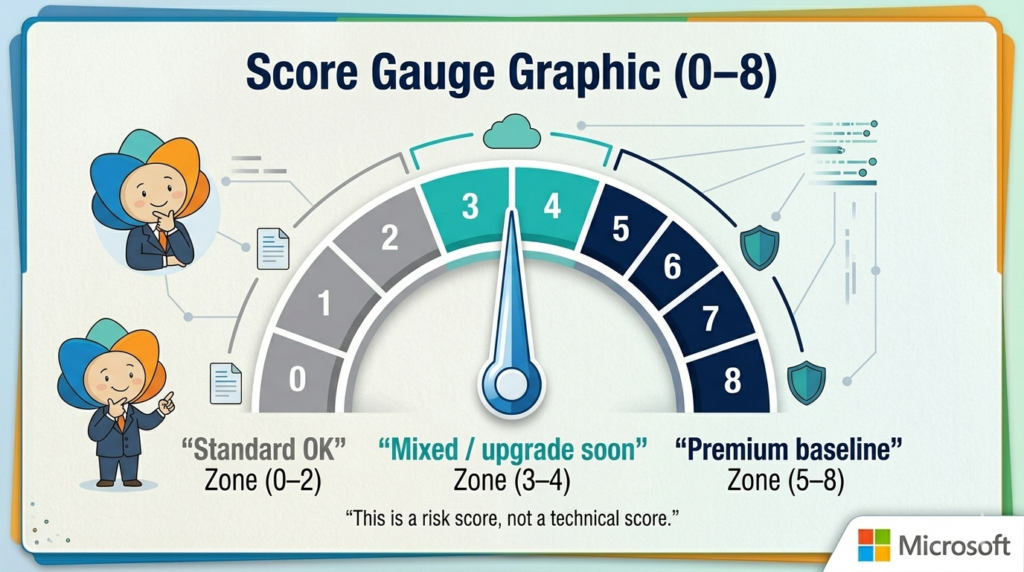
Tick what is true for your organization today. If you score 4 or more, Business Premium is a strategic necessity, not a luxury.
How to interpret your score: 0–2 = Standard may be fine (for now). 3–4 = you’re already buying “Premium outcomes” in other tools or manual effort. 5+ = Premium typically costs less than the next incident.
Case study: “We had Business Standard—and still didn’t have control”
A 45-person trading company ran on Microsoft 365 Business Standard. Everyone had Outlook and Teams. Files lived in OneDrive and SharePoint. On paper, it looked mature.
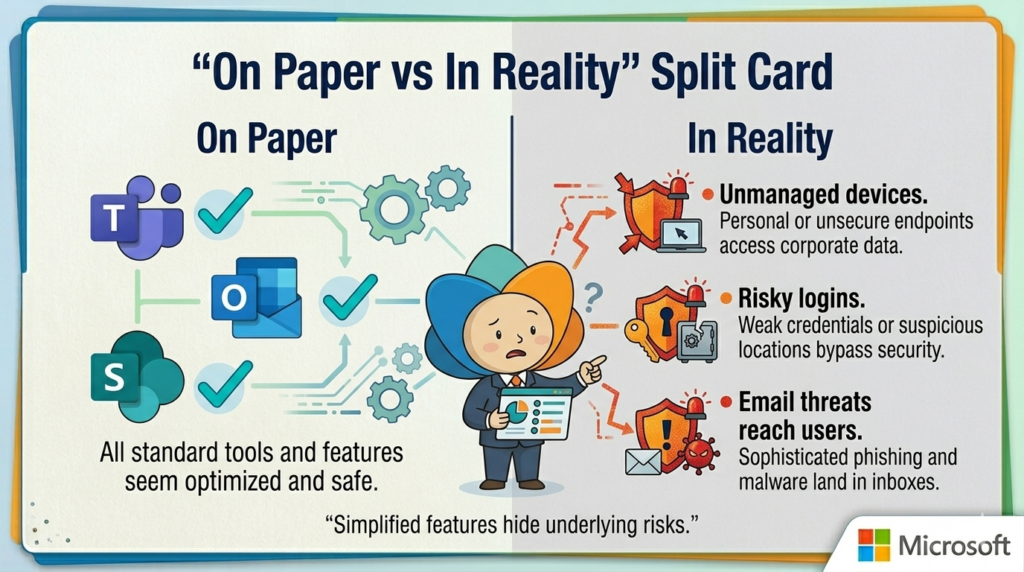
Then a salesperson lost a laptop at a client site. IT couldn’t confirm whether the device was encrypted, couldn’t reliably wipe it, and couldn’t be sure which accounts were signed in. Two weeks later, finance received a phishing email that bypassed their “common sense filter” because it used a real supplier thread as context.
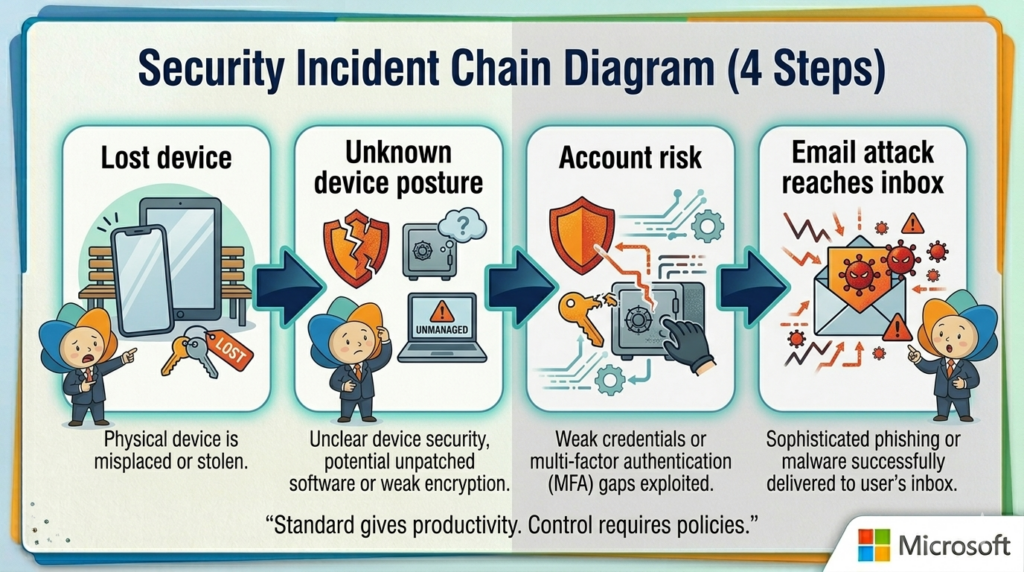
They didn’t want “more tools.” They wanted fewer unknowns. Upgrading to Business Premium let them enforce a baseline: require MFA in the right situations, allow email access only from compliant devices, and apply consistent endpoint protection. The outcome: fewer support escalations, faster onboarding, and far less time spent “investigating what happened.”
What Business Premium really changes (in plain English)
Think of Business Premium as four “control dials.” You don’t need to max them out on day one—you just need them available, so you can turn them up as the business grows.
1) Identity: Decide who can sign in, when, and from where
With Business Premium, you get Microsoft Entra ID P1—which enables Conditional Access. In human terms: you can stop treating every login the same. For example, you can require MFA only when risk is higher, block sign-ins from unknown locations, or require a compliant device before accessing email and SharePoint.
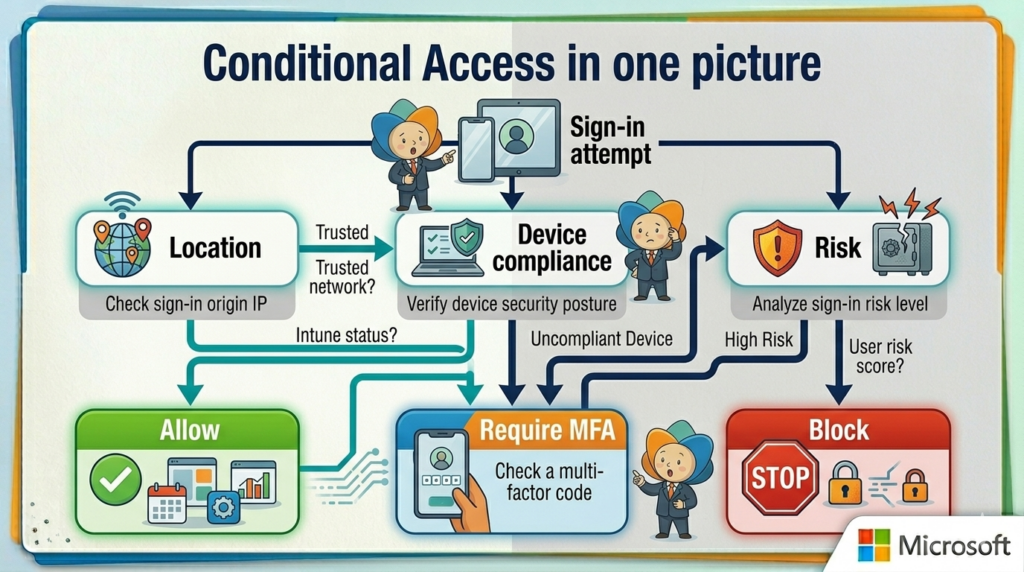
2) Devices: Turn “lost laptop panic” into a routine process
Business Premium includes Microsoft Intune (device management). In practical terms: you can require a PIN, enforce encryption, push security settings, and wipe corporate data when a device goes missing. For BYOD, you can often protect company apps/data without taking over someone’s entire personal phone.
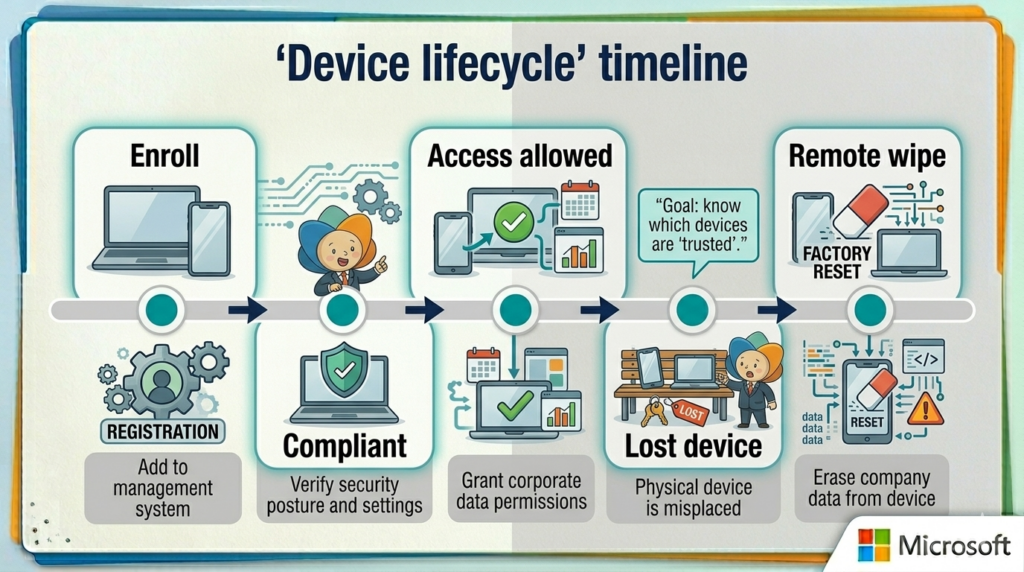
3) Threat protection: Reduce the number of ‘bad days’
Premium adds stronger protection across endpoints and email. That matters because most incidents start in two places: someone clicks or something runs. The goal isn’t perfect security—it’s fewer incidents that turn into downtime, fraud attempts, or emergency cleanups.
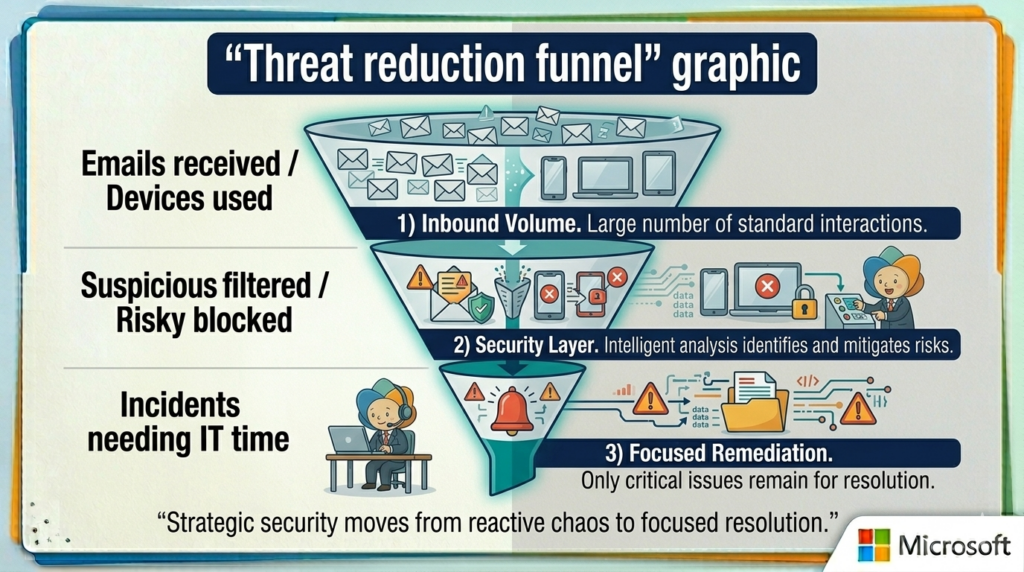
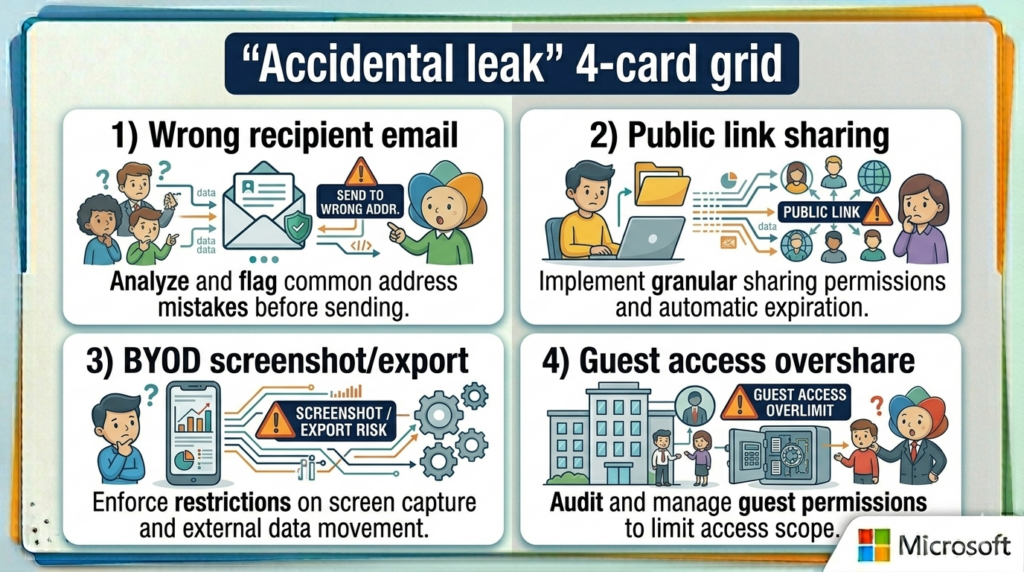
4) Data protection: Prevent accidental leaks (the common kind)
Most data leaks in SMEs aren’t malicious. They’re accidental: a file shared to the wrong address, a payroll sheet emailed externally, or customer data pasted into the wrong chat. Premium gives you stronger data protection options (like labeling and DLP-style controls) so you can set rules around what can leave the organization.
A practical 30-day rollout plan (so Premium doesn’t become shelfware)
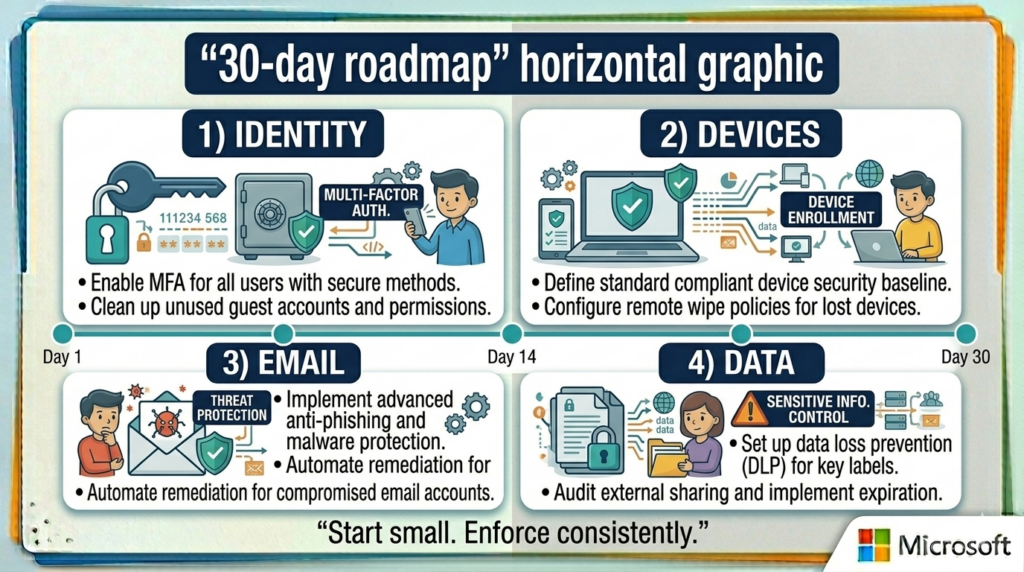
The fastest way to waste Business Premium is to buy it and never turn the dials. Here’s a realistic rollout plan that keeps disruption low and value obvious.
The “No-Waste” Rollout Plan
Buying Business Premium is just the start. Here is how we turn the dials to secure your value without disrupting your team.
Stabilize Identity
- Confirm MFA coverage for every user.
- Establish protected emergency/admin accounts.
- Map high-risk targets (Finance, Leadership, HR).
Control Devices
- Enroll company laptops followed by mobile units.
- Set a security baseline (PIN, Encryption, Screen Lock).
- Execute a safe pilot for Remote Wipe protocols.
Protect Email Flows
- Activate advanced link and attachment scanning.
- Deploy executive impersonation protection.
- Enable one-click suspicious email reporting.
Secure Your Data
- Label sensitive files (Payroll, Customer Lists).
- Apply “Internal Only” sharing rules for critical data.
- Finalize the transition from reactive to proactive security.
Pick your path (what should you do next?)
How do we start?
Tap a card to reveal the deployment path that matches your current business priorities.
The Phase-In
Ideal if you are Cost-First
Tap to reveal strategyHigh-Risk First
Upgrade only the highest-risk roles first (Finance, Leadership, HR, IT), then expand after a 30-day stability check.
The Standard
Ideal if you are Risk-First
Tap to reveal strategyBaseline Security
Make Premium the baseline for everyone with a company device, then build Conditional Access rules around “compliant device required.”
The Sprint
Ideal if you are Speed-First
Tap to reveal strategyOutcome Focused
Roll out the 30-day plan immediately and measure outcomes: fewer suspicious emails, device incidents, and access surprises.
Ready to Secure Your Value?
Stop guessing about your security posture and start protecting your business without the downtime.
Tap to see the Asentric PathThe 10-Day Win
Asentric IT will run a Security Baseline Assessment of your licenses, devices, and sign-in risks to deliver a phased rollout plan with tangible wins in your first 10 days.
Start Your Assessment
A good article