
It starts like this: you bought email for a few people, shared some files on WhatsApp, and called it “good enough.” Then the team grew. Someone lost a laptop. A staff member forwarded an invoice thread to the wrong address. A client asked for “proof of security controls” for their audit. And suddenly the question wasn’t “Which Microsoft plan is cheapest?”—it was “Which plan keeps us working when something goes wrong?”
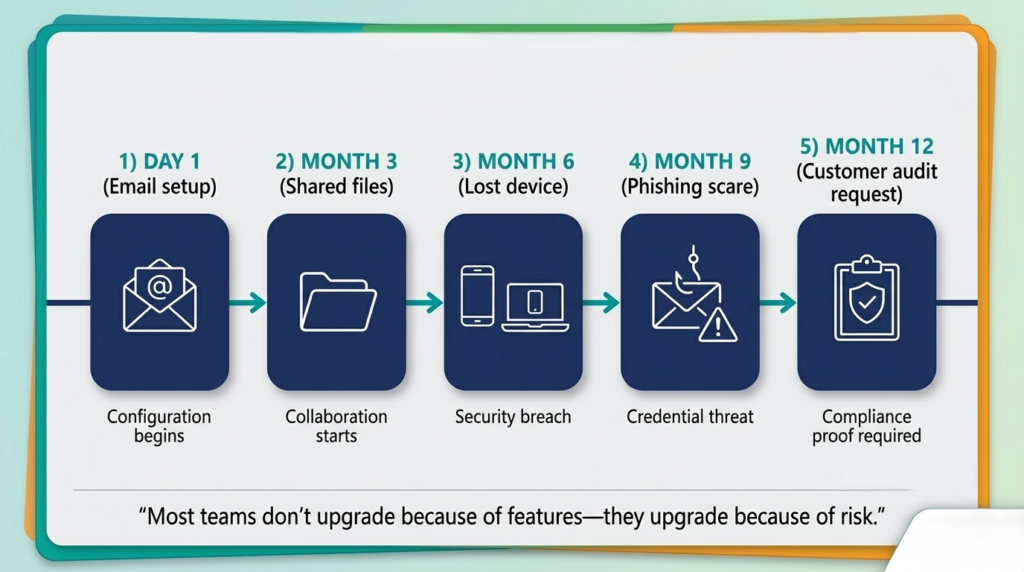
Who this is for: business owners, office managers, and IT admins who want a clear Microsoft 365 decision without drowning in licensing jargon—especially teams between 5 and 300 users.
Quick answer (TL;DR)
Which Microsoft 365 Plan fits your team?
Tap a card to see when each plan becomes the right investment for your business.
Business Basic
Best for Browser & MobileBusiness Basic
Choose this when your team works mostly in browser/mobile and you want professional email + Teams + file storage at the lowest cost.
Business Standard
Best for Desktop PowerBusiness Standard
Choose this when your team needs desktop Office apps and works offline, but you’re not ready for full device management.
Business Premium
Best for Security & ScaleBusiness Premium
Choose this when you must protect against lost devices, phishing, and remote work risks while meeting cyber insurance requirements.
Interactive: The 2-minute Microsoft 365 plan self-assessment
Tick what is true today. Then follow the scoring at the bottom.
Business Environment Audit
Tick what is true for your operations today to determine your optimal configuration.
Mini case study: “Standard was cheaper—until it wasn’t”
A 30-person professional services firm rolled out Microsoft 365 Business Standard because the team needed desktop Office and Teams. Three months later, two things happened: (1) a staff laptop went missing, and (2) a finance mailbox received a highly convincing “supplier bank change” email. Nobody lost money—but the leadership team lost confidence.
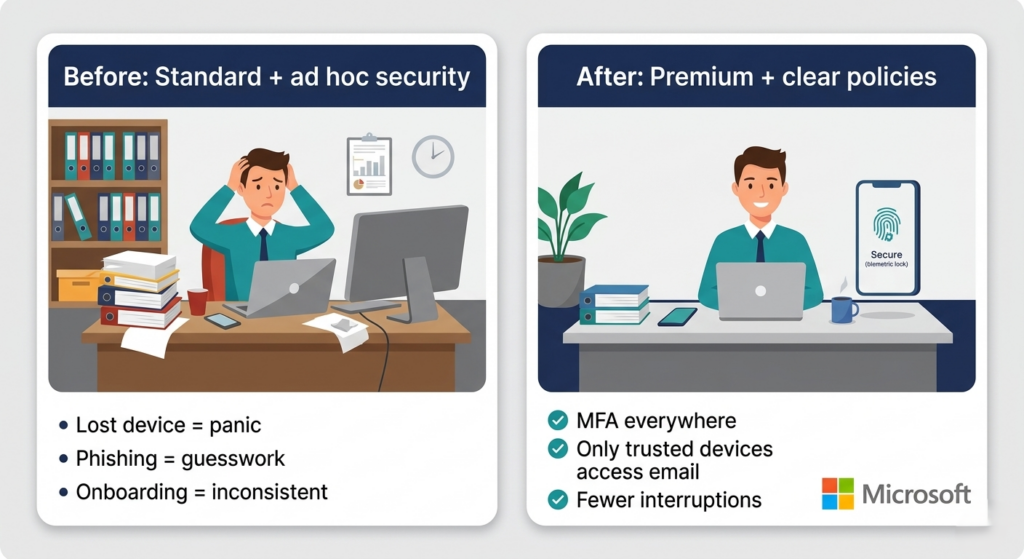
They upgraded a subset of users to Business Premium and implemented a simple “safety baseline”: require MFA, block logins from risky scenarios, enable device policies for company laptops, and strengthen email threat protection. The result wasn’t just security—it was fewer IT interruptions, faster onboarding, and fewer “Where is the latest file?” moments because governance got cleaner.
What changes between Basic, Standard, and Premium (plain English)
| What you’re solving | Business Basic | Business Standard | Business Premium |
| Professional email + Teams + cloud files | Yes | Yes | Yes |
| Desktop Office apps (offline work) | No (web/mobile only) | Yes | Yes |
| “We need to manage and secure devices” | Limited | Limited | Yes (device management + stronger security stack) |
| “We need better protection from phishing/ransomware” | Limited | Limited | Yes (advanced protections included) |
| Best fit | Small teams, browser-first | Teams that need desktop apps | Teams that need security + control |
a good article