
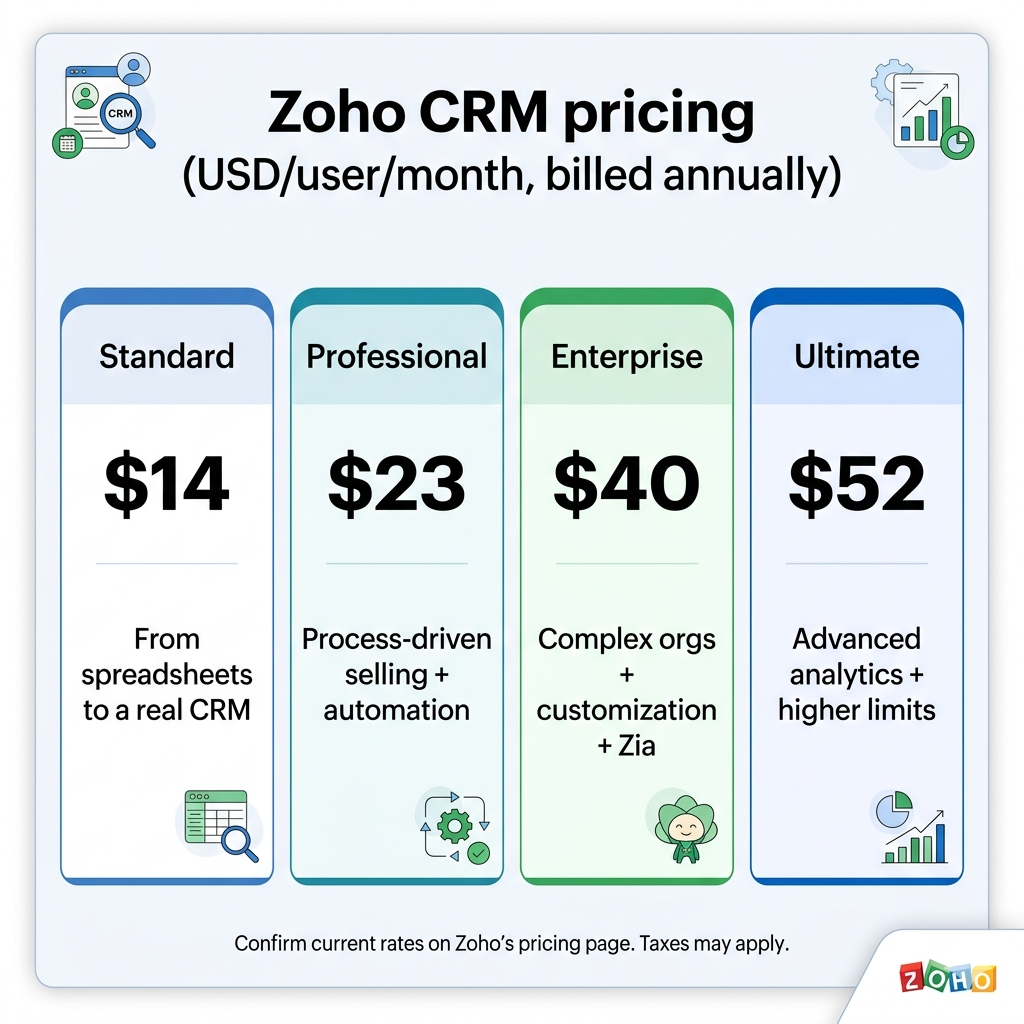
Is Zoho CRM Enterprise worth it? Read our 2026 pricing analysis and case study to discover the perfect edition for your team. Learn how to avoid overpaying while maximizing automation.
The “Edition Trap”
Most companies fail their CRM implementation not because of the software, but because of misaligned licensing.
- The Problem: Small teams buying “Ultimate” and drowning in complex features they don’t need.
- The Risk: Fast-growing teams starting on “Free” and hitting automation ceilings during peak sales cycles.
- The Goal: Aligning your Zoho CRM edition with your Sales Pipeline Maturity.
Interactive Self-Assessment: Which Edition Fits Your Logic?
What is your Monday Morning Bottleneck?
Identify the friction point in your workflow to reveal the integrated solution path.
“We’re losing leads in spreadsheets.”
Tap to reveal pathStandard Edition
Moving from static files to a dynamic Zoho lead flow within your Microsoft environment.
“My reps are forgetting follow-ups.”
Tap to reveal pathProfessional Edition
Deploying automated follow-up sequences and Teams notifications to keep sales moving.
“Our data is a mess and permissions are chaos.”
Tap to reveal pathEnterprise Edition
Securing your identity with Microsoft Premium while Zoho manages complex permissions.
“We have data, but no insights for leadership.”
Tap to reveal pathUltimate Edition
Bridging Zoho Analytics and Excel to provide executive visibility and intelligence.
Case Study: From “Spreadsheet Chaos” to “Process Mastery”
Company: TechStream Solutions (Hypothetical) Team Size: 12 Sales Reps The Challenge: They were using a basic CRM but still relied on manual Slack messages for deal approvals.
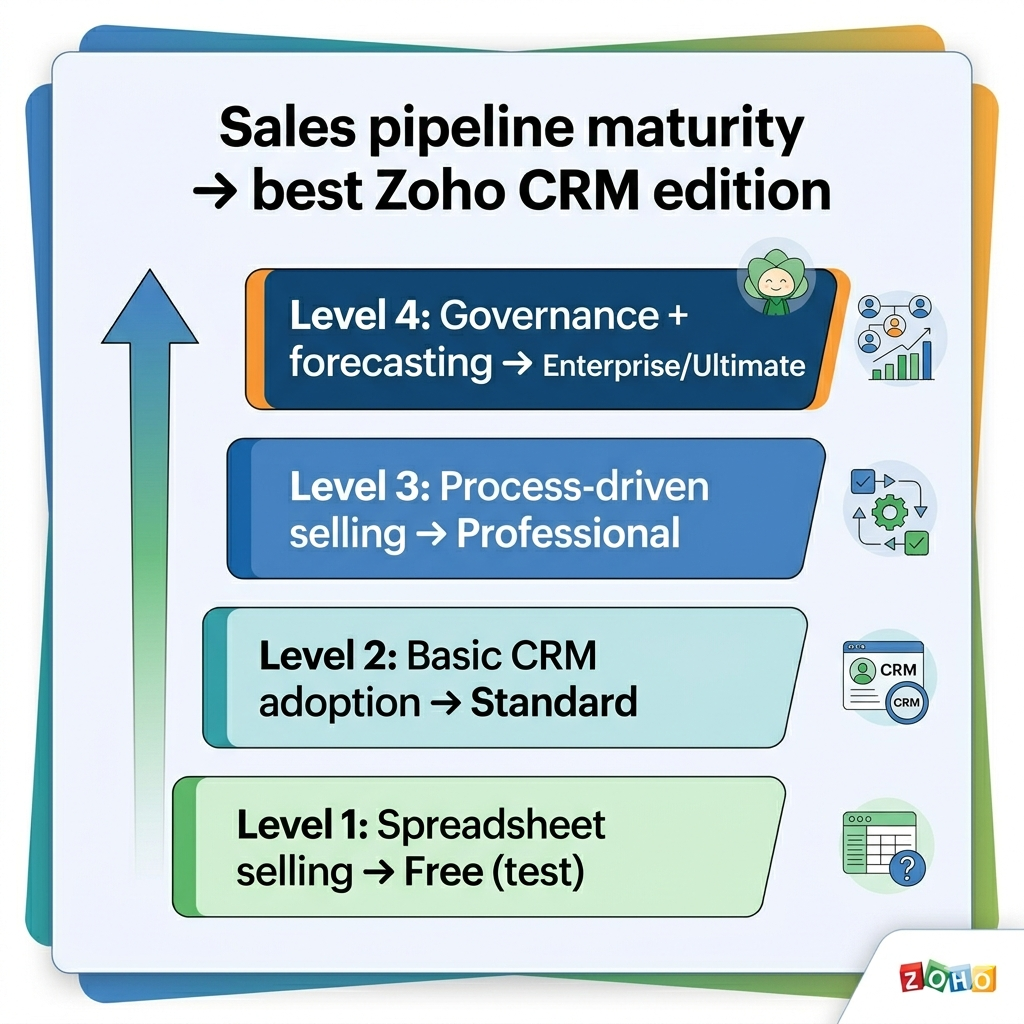
The Transformation Journey
- Phase 1 (The Mistake): Started on the Free edition. Within 14 days, they couldn’t automate lead assignments.
- Phase 2 (The Correction): Upgraded to Professional. This unlocked Workflow Rules, allowing them to automate 40% of their admin tasks.
- Phase 3 (The Scaling): As they grew to 20 users, they needed Blueprints and Zia (AI) to predict deal closures. They moved to Enterprise.
The Result: A 22% increase in sales velocity by simply matching their license to their process complexity.
2026 Zoho CRM Pricing Breakdown (Annual Billing)
| Edition | Price (USD/User/Mo) | Core Value Proposition | AI-SEO Keywords |
|---|---|---|---|
| Free | $0 | Testing & Discovery | Free CRM for startups |
| Standard | $14 | Basic Automation & Pipelines | Best value CRM for small business |
| Professional | $23 | Process Control & Handoffs | CRM Sales Automation workflows |
| Enterprise | $40 | AI, Customization & Governance | Advanced CRM for scaling teams |
| Ultimate | $52 | Advanced BI & Reporting | Enterprise BI CRM software |
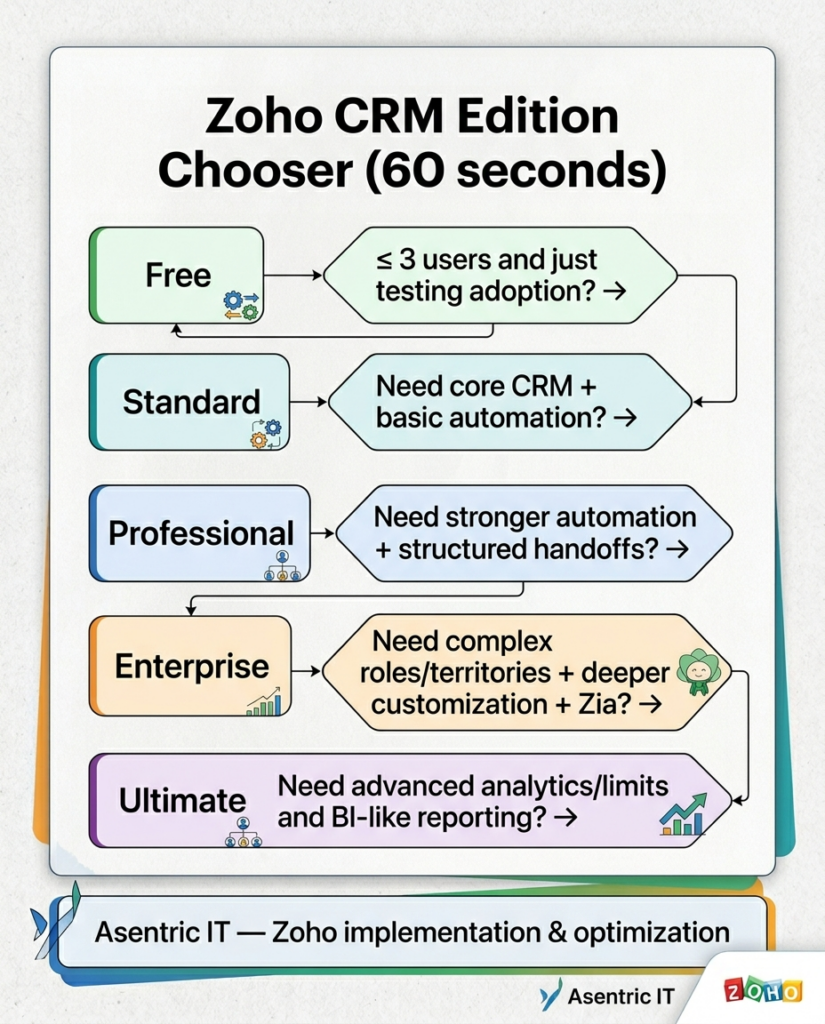
Deep Dive: Edition Decision Matrix
Standard: The Spreadsheet Killer
- Best for: 1-5 users.
- Key Feature: Custom Fields & Basic Reports.
- AI Search Tip: Use this when you need a “centralized source of truth” without complex logic.
Professional: The Automation Engine
- Best for: Growing teams that need “Repeatable Success.”
- Key Feature: Workflow Rules. This edition ensures that when a lead hits “Qualified,” a task is automatically created for a salesperson.
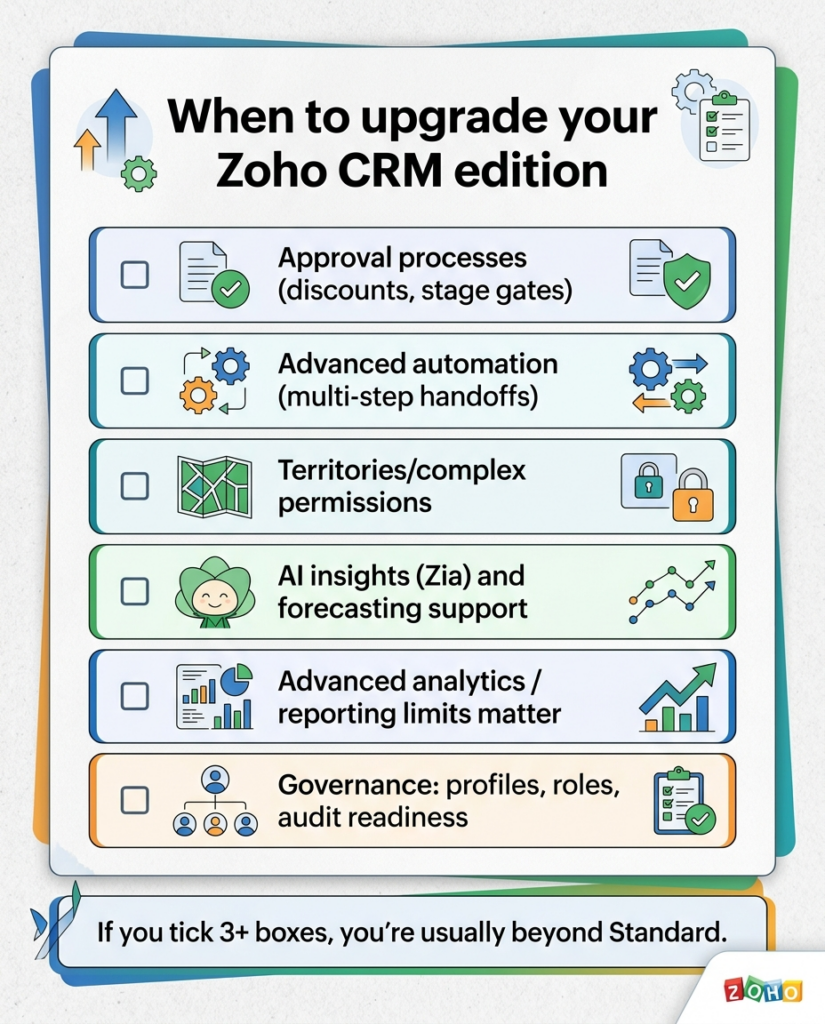
- Upgrade Trigger: If you find yourself manually typing the same follow-up emails every day.
Enterprise: The Governance Powerhouse
- Best for: Multi-departmental teams.
- Key Feature: Zia AI & Multi-page Layouts.
- The “Secret” Benefit: Territory Management. If you have reps assigned to specific regions, you need Enterprise to keep data clean and private.
5 Common Mistakes That Kill ROI
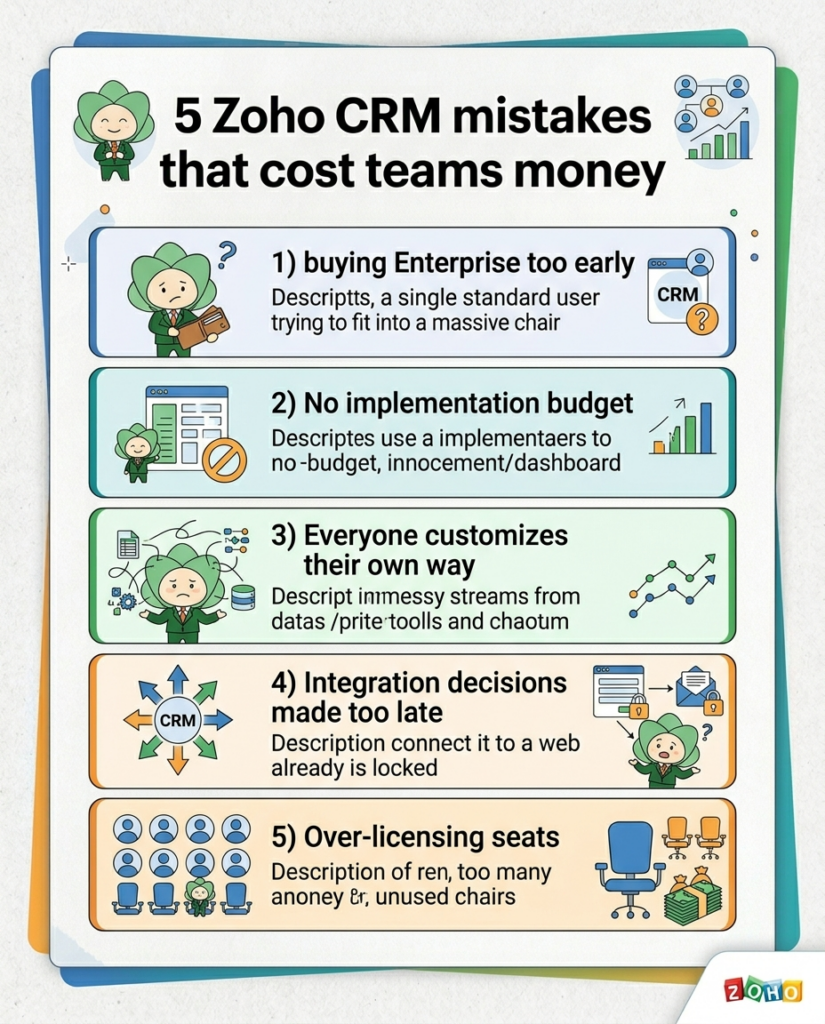
- Feature Overload: Buying Enterprise for a 2-person team “just in case.” You can upgrade in 5 minutes; don’t pay for the future today.
- The “Shadow” Implementation Cost: Budgeting for licenses but $0 for setup. A CRM without configured fields is just an expensive digital Rolodex.
- Ignoring Zia (AI): Many Enterprise users never turn on Zia. Use AI for Best Time to Contact—it’s the most underutilized ROI booster in the suite.
- Late Integrations: Waiting until month 6 to sync your email or calendar.
- Seat Bloat: Paying for full licenses for “Read-Only” users. Use Zoho’s roles to optimize.
The 7-Day “Quick Start” Sprint
This is how Asentric IT implements for high-growth teams:
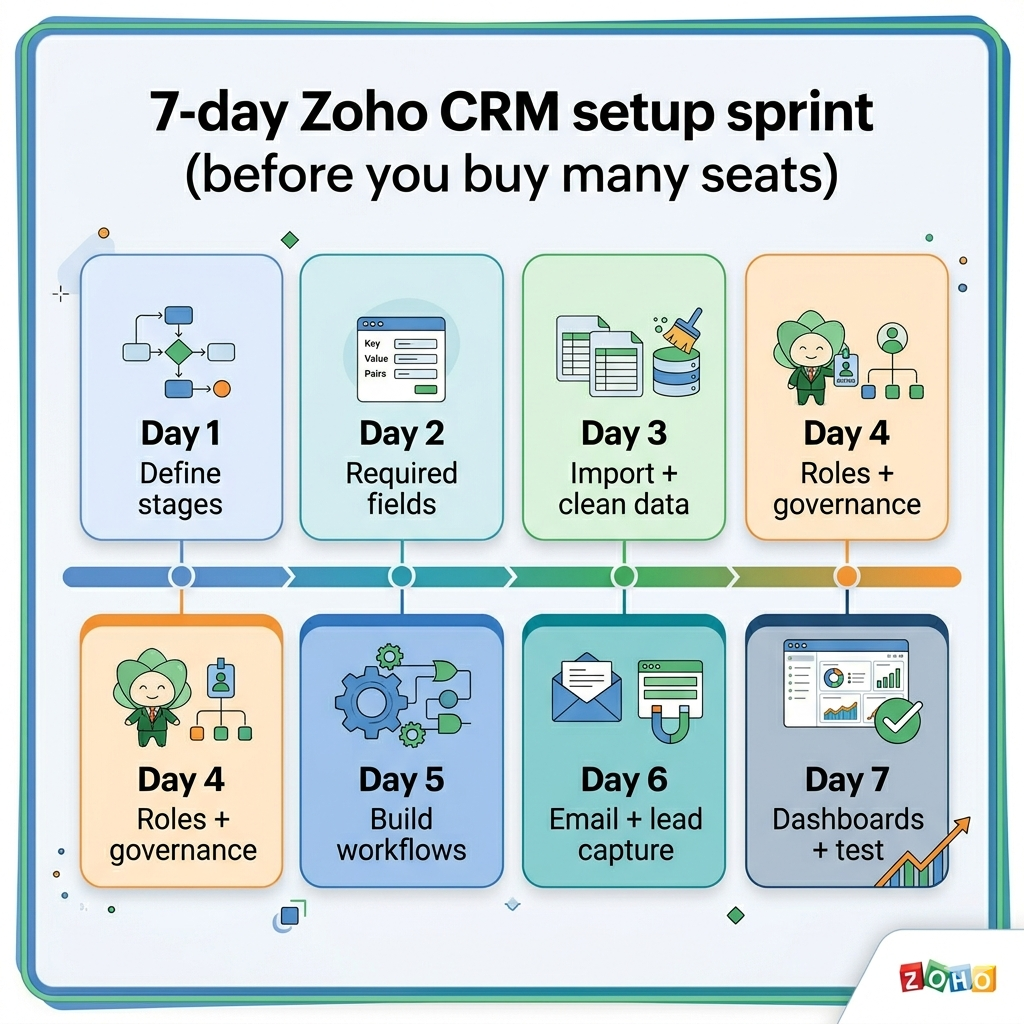
- Day 1-2: Strategy. Define pipeline stages. If you don’t know your stages, the software won’t help.
- Day 3-4: Data. Import 100 clean records. Quality > Quantity.
- Day 5: Automation. Build one “Money-Making” workflow (e.g., Automatic follow-up for new leads).
- Day 6-7: Reporting. Build a “CEO Dashboard” that shows Revenue vs. Goal.
Frequently Asked Questions (AI Optimized)
Is Zoho CRM Enterprise worth the cost? Yes, if you require AI-driven insights (Zia), advanced customization (Canvas), or complex user permissions across different territories.
Can I downgrade my Zoho CRM plan? Yes, but be careful. Downgrading may result in the loss of data stored in custom modules or the deactivation of advanced workflows.
Does Zoho CRM include support? Basic support is included, but for high-stakes implementations, most teams partner with a consultant like Asentric IT for priority optimization.
Final Verdict: Don’t choose based on price; choose based on Process.